
Best Antivirus for Laptop, Mac and Windows
This guide explains how to choose antivirus software for laptops, Mac and Windows by checking malware scanning, Trojan alerts, ransomware protection, quarantine, firewall guidance, safe browsing and business support.
Quick table of contents
Real-time protection is the base layer
A Mac or Windows system should not depend only on manual scans. Real-time protection checks files, downloads, removable drives and suspicious behaviour while the user works. This is important for office systems, accounting computers, field laptops and customer data machines.
Business laptop antivirus checklist
For office laptops, the best antivirus choice should protect normal daily work without slowing accounts, sales, design or support teams. A business antivirus should make scans easy, explain threat alerts in simple words and help the owner understand whether a file should be removed, quarantined or reviewed.
Commercial antivirus planning should also include update discipline, safe browsing guidance, backup awareness and support for both Windows and Mac devices. This is useful for shops, service companies, institutes, agencies and small teams where one infected laptop can disturb customer data, billing files or project work.
- Real-time protection for downloads, folders and removable drives.
- Quick scan for daily checks and deep scan for suspicious systems.
- Malware, Trojan, ransomware and unsafe browser warning clarity.
- Quarantine workflow that keeps risky files away from normal use.
- Support path for Windows laptops, Mac devices and business users.
Malware, Trojan and ransomware protection
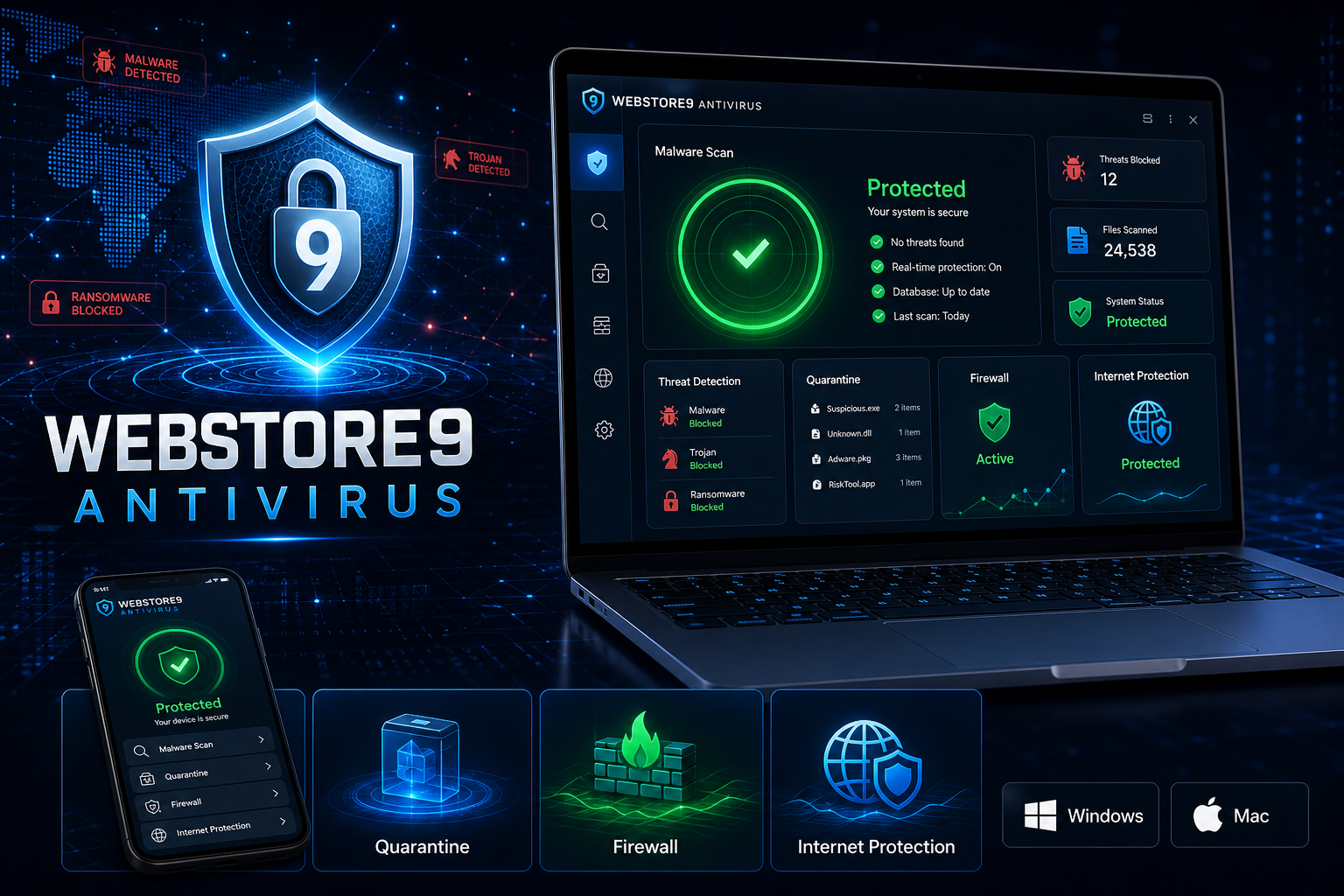
WebStore9 Antivirus focuses on the threats users understand and fear most: malware, Trojan files, suspicious downloads, ransomware behaviour and unsafe browser activity. The page should make it clear that the product scans risky files, explains warnings and helps users take the next action without technical confusion.
Lightweight scanning improves adoption
If antivirus software slows the system too much, users disable it. WebStore9 Antivirus is WebStore9's own lightweight security software for Mac and Windows where quick scans, scheduled scans, clear alerts and simple status messages help protection stay active.
Firewall, internet and phishing protection
A laptop often connects to office Wi-Fi, public Wi-Fi, mobile hotspots and client networks. Firewall guidance, suspicious connection warnings, phishing alerts and safe browsing checks reduce risk from unsafe websites, fake downloads and unknown networks.
Quarantine and clear alerts
When a suspicious file is found, users need clear language. Quarantine separates unsafe files from normal use so the user can review the issue and contact support if needed. This is easier to understand than only showing a technical threat name.
WebStore9 Antivirus product steps
The WebStore9 Antivirus flow is simple: choose Download for Windows or Download for Mac, run a quick scan or deep scan, review malware and Trojan alerts, move suspicious files to quarantine and keep internet protection guidance active during daily browsing and downloads.
- Download for Windows or Download for Mac
- Quick scan and deep scan for files and drives
- Malware, Trojan and ransomware alerts
- Quarantine for suspicious files
- Firewall, phishing and safe browsing guidance
Common mistakes to avoid
Many users decide too quickly by looking only at price, a single feature or a screenshot. A better antivirus decision checks platform support, scan clarity, malware protection, ransomware warning, quarantine workflow, firewall guidance, update behaviour and support.
For WebStore9 Antivirus, the useful starting point is using the correct Windows or Mac download path, understanding the protection features and knowing what to do when a threat alert appears.
WebStore9 Antivirus checklist
- Choose the correct Windows or Mac download path.
- Run quick scan first, then deep scan when more checking is needed.
- Review malware, Trojan, ransomware and suspicious file alerts carefully.
- Use quarantine for unsafe files instead of ignoring warnings.
- Keep updates, safe browsing guidance and backups in the security routine.
Ready to discuss this requirement?
Open the related WebStore9 service page or send your requirement with mobile number. WebStore9 can plan the website, app, software, SEO and support workflow according to your business.
Frequently asked questions
Who should read this best antivirus guide?
This guide is useful for laptop, Mac and Windows users comparing WebStore9 Antivirus features such as malware scan, Trojan detection, ransomware protection, quarantine, firewall and safe browsing support.
What should a business antivirus include?
A business antivirus should include real-time protection, quick scan, deep scan, malware and Trojan alerts, ransomware warnings, quarantine, safe browsing guidance, update support and simple reporting for office devices.
How can users get WebStore9 Antivirus?
Users can choose Download for Windows or Download for Mac, then contact WebStore9 through help@webstore9.in, the website enquiry form or WhatsApp 7048959007 for setup and support.
Is antivirus enough for business security?
Antivirus helps, but users should also keep backups, updates, safe passwords, browser safety and recovery planning in place.