
Real Estate Portal Development Guide 2026
Real estate portal development guide for property listing website, buyer app, agent panel, builder panel, admin dashboard, maps, enquiry leads and SEO city pages.
Quick table of contents
Real estate portal development needs buyer and admin flow
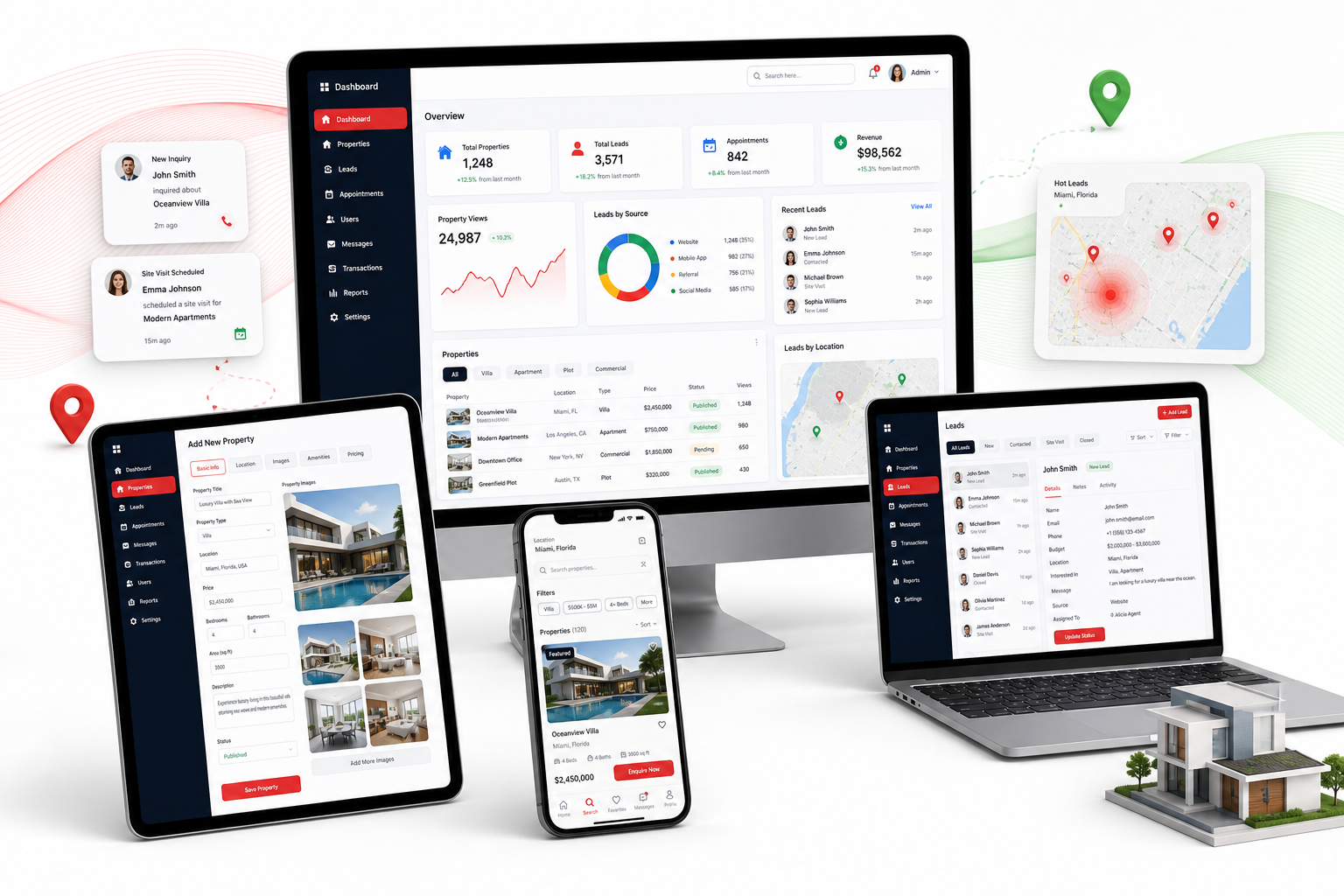
A real estate portal should help buyers search properties and help the business manage listings, agents, enquiries and follow-ups. WebStore9 can plan property listing website development with filters, map direction, property detail pages, gallery, enquiry forms, buyer app direction, agent panel and admin dashboard.
Property listing website features
Important features include buy and rent categories, property type, city, area, budget filter, bedrooms, amenities, gallery, video, map location, nearby details, enquiry button and favorite property. Clean listing pages make the website useful for buyers and SEO.
Buyer app and mobile experience
A buyer app can include location search, saved properties, visit booking, call or WhatsApp enquiry, property comparison, notifications and shortlisted homes. Mobile-first UI is important because property searches often happen on phone.
Agent and builder panel
Agents or builders can upload properties, update price, add photos, mark availability, manage leads and track appointments. Role-based approval protects listing quality and prevents duplicate or fake content.
Admin dashboard and lead CRM
Admin can approve properties, manage agents, assign leads, track visits, view reports, control banners, update city pages and monitor enquiry sources. Lead CRM helps follow up buyers at the right time.
Real estate SEO pages
Real estate websites can grow through city, locality, property type and project pages. WebStore9 can plan Search-ready pages for rent, sale, apartment, villa, commercial property, builder project and location-based searches.
Property lead flow and locality pages
A useful real estate portal should connect every property page with a clear lead path. Buyers should be able to call, send a WhatsApp enquiry, book a site visit, save a property and compare similar listings without losing context. For the business team, those actions should reach a lead CRM with source, city, property type, budget, agent assignment and follow-up status.
Locality pages help Google and buyers understand the portal structure. A practical setup can include pages such as flats for sale in Noida, commercial property in a business area, rental homes near metro stations and builder project pages with amenities, photos, location notes and enquiry forms. This creates better internal linking between listings, agents, city pages and the main real estate portal service page.
- Property listing detail pages with title, price, location, gallery, amenities and enquiry action
- City, locality, property type and project pages for buyer search intent
- Lead CRM fields for budget, requirement, source, assigned person and next follow-up
- Agent, builder and admin approval flow to keep listings accurate
- Internal links from blog guide to real estate portal, CRM development and app development pages
WebStore9 project checklist
Before starting this project, write the business goal, target users, important screens, admin modules, required integrations, SEO pages, launch timeline and support expectation. This keeps design, content, development and marketing direction clean.
- Real Estate Portal module or content direction should be planned before launch.
- Property Website module or content direction should be planned before launch.
- Property Listing module or content direction should be planned before launch.
- Buyer App module or content direction should be planned before launch.
- Agent Panel module or content direction should be planned before launch.
- Builder Panel module or content direction should be planned before launch.
- Admin Dashboard module or content direction should be planned before launch.
- Map Search module or content direction should be planned before launch.
Ready to discuss this requirement?
Open the related WebStore9 service page or send your requirement with mobile number. WebStore9 can plan the website, app, software, SEO and support workflow according to your business.
Frequently asked questions
What should a real estate portal include?
A real estate portal should include property listings, search filters, rent and sale categories, location or map direction, gallery, enquiry form, agent panel, builder panel and admin approval flow.
Can WebStore9 build a real estate portal with mobile app direction?
Yes. WebStore9 can plan real estate portal pages, buyer app screens, agent dashboard, lead CRM, property approval and SEO-ready city or category pages.
Why does a real estate portal need SEO pages?
SEO pages help property buyers find city, location, rent, sale and property-type searches. Proper headings, descriptions, schema and internal links make the portal easier for Google to understand.
Can real estate leads be managed from an admin panel?
Yes. Admin panels can manage properties, agents, builders, enquiries, featured listings, customer leads, reports and follow-up status in one business dashboard.