
CRM Software Development Complete Guide
CRM development guide for lead capture, customer records, sales pipeline, quotation, invoice, follow-up reminders, staff roles, reports and WhatsApp/email communication.
Quick table of contents
CRM software should protect every lead
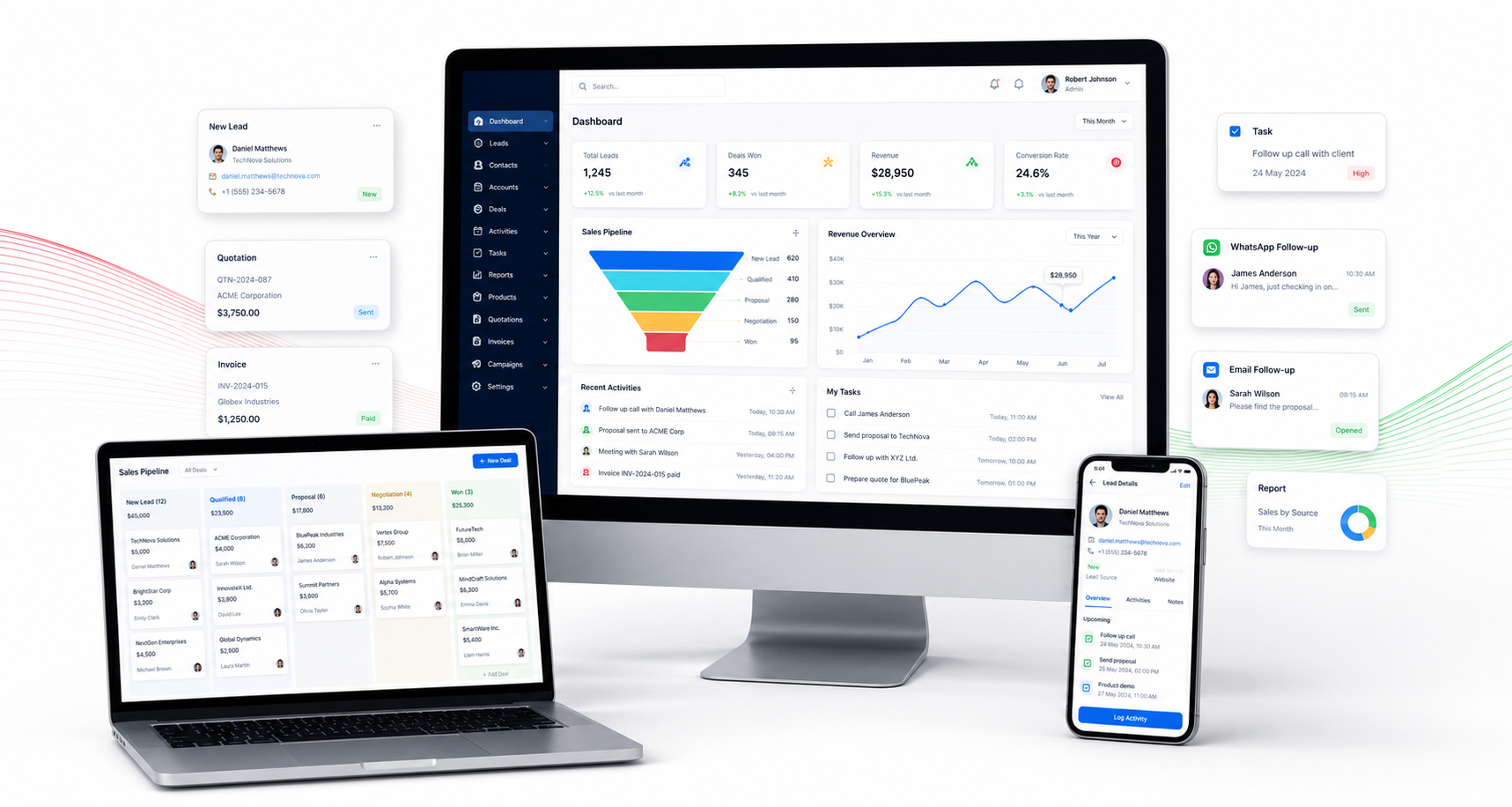
A CRM system helps a business stop losing enquiries. Leads from website forms, phone calls, WhatsApp, ads, referrals and social media can be stored in one dashboard. WebStore9 can plan CRM software development with source tracking, customer profile, lead status, notes, next follow-up date and assignment to the right team member.
Lead capture and source tracking
Good CRM development starts with clean lead intake. Every enquiry should show name, mobile number, email, service interest, city, campaign source, date and current status. This helps the business understand which channel gives better leads and where the team should focus.
Sales pipeline and follow-up automation
Pipeline stages can include new lead, contacted, requirement collected, quotation sent, negotiation, won, lost and follow-up later. Reminder screens, task lists and notifications help sales teams call customers on time. Managers can see delays and conversion ratio without manually asking every staff member.
Quotation invoice and customer documents
A CRM can generate quotations, proforma invoices, service notes, contract files and billing status. When customer communication, quotation and payment status stay connected, the business can manage projects more professionally.
Team roles and reporting
Admin, manager, sales executive, support user and accountant roles can be separated. Reports can show total leads, source-wise leads, pending follow-ups, closed deals, revenue, staff performance and campaign ROI.
CRM with website and marketing integration
WebStore9 can connect CRM direction with website enquiry forms, landing pages, WhatsApp button, Google Ads leads, Meta Ads campaigns and email follow-up so the business has one clean customer communication system.
WebStore9 project checklist
Before starting this project, write the business goal, target users, important screens, admin modules, required integrations, SEO pages, launch timeline and support expectation. This keeps design, content, development and marketing direction clean.
- CRM Development module or content direction should be planned before launch.
- CRM Software module or content direction should be planned before launch.
- Lead Management module or content direction should be planned before launch.
- Sales Pipeline module or content direction should be planned before launch.
- Customer Records module or content direction should be planned before launch.
- Follow Up Reminder module or content direction should be planned before launch.
- Quotation module or content direction should be planned before launch.
- Invoice module or content direction should be planned before launch.
Ready to discuss this requirement?
Open the related WebStore9 service page or send your requirement with mobile number. WebStore9 can plan the website, app, software, SEO and support workflow according to your business.
Frequently asked questions
What should a CRM development project include?
A CRM development project should include lead capture, customer profiles, follow-up reminders, quotation flow, invoice history, sales pipeline, staff roles, reporting dashboard and communication tracking.
Can WebStore9 build CRM software for small businesses?
Yes. WebStore9 can plan CRM software for small businesses with enquiry forms, WhatsApp or email lead direction, sales team access, admin control and growth-ready reporting.
Why is CRM software useful for sales teams?
CRM software helps sales teams avoid missed leads, track every follow-up, understand customer status, manage quotations and keep managers updated with clear reports.
Can CRM connect with website enquiry and marketing pages?
Yes. CRM planning can connect website forms, landing pages, Google Ads leads, WhatsApp enquiries and customer support workflows so leads move into one organized system.