
Business Website Development Checklist 2026
A practical WebStore9 checklist for planning business websites, service pages, responsive design, enquiry forms, SEO-ready structure, Google Ads landing pages and lead growth.
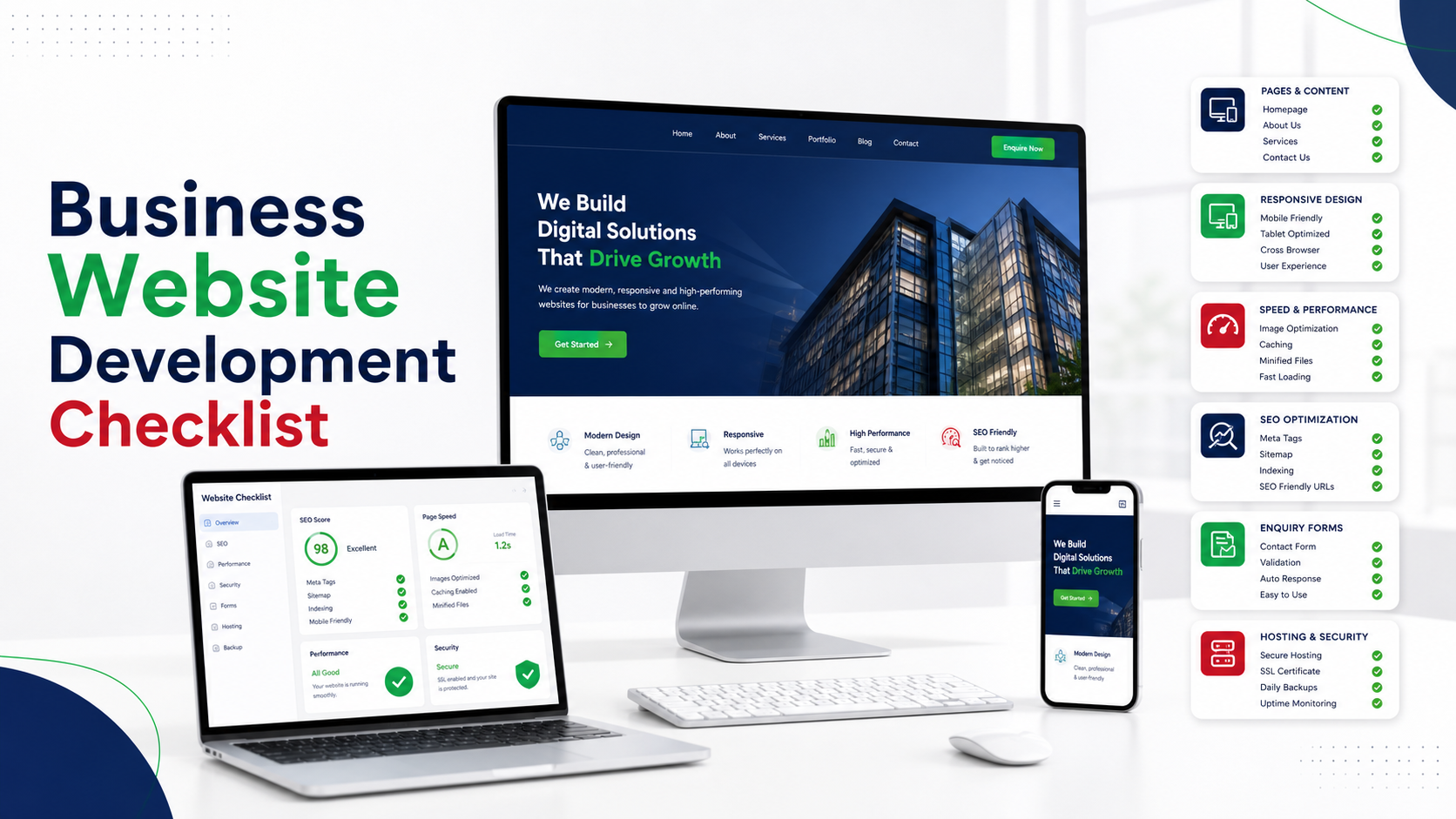
Quick table of contents
Define the business goal
A website should not start from design alone. The first step is deciding whether the site should generate leads, sell products, explain services, show completed work, collect enquiries, support customers or build brand trust.
Write the primary action clearly before design starts: call, WhatsApp, form enquiry, product purchase, booking, quote request or demo request. This keeps the homepage, service pages and landing pages focused on measurable business outcomes.
Plan important pages
Most business websites need Home, About, Services, Product, Contact, Privacy Policy, Terms, FAQ and sometimes blog or case study pages. Each page should answer a real customer question.
Important services should have their own focused pages instead of one long generic services page. Separate pages help visitors compare the right offer and give search engines a cleaner structure for website development, ecommerce, app development, software, CRM, LMS, SEO or local service terms.
Mobile-first layout
Many customers open websites from mobile search, WhatsApp or social media. Buttons, forms, images, heading sizes and navigation must work comfortably on small screens.
A mobile-friendly page should show the main message quickly, keep tap targets easy, avoid oversized images, make WhatsApp/contact actions visible and keep enquiry forms short enough for real users to complete.
SEO-ready page structure
A search-ready website needs clean URLs, proper titles, meta descriptions, H1 headings, internal links, image alt text, sitemap, robots.txt and Search Console verification.
The content should also explain the real service clearly. Headings, FAQs, comparison sections, trust points, location/service context and related links help visitors understand the offer before they send an enquiry.
Lead form and API planning
A business website should collect enquiries with name, email, mobile, country code, message and validation. WebStore9 can plan contact forms, WhatsApp paths, email alerts, admin follow-up and CRM-ready lead fields according to the project scope.
Good lead forms ask only what the sales or support team really needs. For service websites, useful fields include business type, required pages, service area, reference website, budget range, launch timeline and the main customer problem.
Maintenance after launch
Websites need content updates, security checks, backups, speed checks, page improvements and tracking review. Search performance improves over time when the site is maintained and expanded with useful pages.
After launch, review form submissions, popular pages, slow pages, Search Console queries, broken links and content gaps. Small improvements made regularly are usually better than waiting for one large redesign.
Common mistakes to avoid
Many customers make decisions too quickly by looking only at price, a single feature or a screenshot. A better decision checks the complete workflow: platform support, data safety, customer support, admin control, mobile behavior, future maintenance and how clearly the company explains the solution.
For WebStore9 projects, the useful starting point is a short written requirement. That helps the team understand the customer problem, avoid wrong assumptions and suggest the right page, product, software module or support flow.
WebStore9 implementation checklist
- Confirm the exact customer problem, device, platform, business type or website goal.
- Prepare useful content, screenshots, reference links, required pages, product notes or software module details.
- Keep the customer journey simple: learn, compare, send enquiry and start project without confusion.
- Use SEO-friendly headings, descriptive image alt text, internal links and structured page information where the page needs it.
- Send enquiries through help@webstore9.in, the website form or WhatsApp 7048959007 so follow-up stays clean and trackable.
Website launch checklist for business leads
Before launch, confirm the homepage message, service page list, contact form, WhatsApp path, trust sections, policy pages, sitemap, speed checks and Search Console setup.
For better lead quality, each important service page should explain the customer problem, service scope, workflow, support direction and next step. This makes the website easier to use for visitors coming from Google Search, Google Ads, WhatsApp or social media.
Visitors can contact WebStore9 through help@webstore9.in, the website enquiry form or WhatsApp 7048959007 for quick project discussion.
Launch readiness
Check domain, hosting, SSL, sitemap, contact form, analytics, Search Console and responsive layout before announcing the website.
Lead quality
Use clear service pages, helpful FAQs, trust points, related links and focused enquiry fields so visitors know exactly what to ask for.
Next step
Share your page list, business goal, service details, reference links and launch timeline so WebStore9 can suggest the right scope.
Ready to discuss this requirement?
Open the related WebStore9 service page or send your requirement with mobile number. WebStore9 can plan the website, app, software, SEO and support workflow according to your business.
Frequently asked questions
Who should read this Business Website Development Checklist guide?
This guide is useful for business owners planning a new website, redesign, service pages, landing pages, enquiry forms, SEO-ready content and lead generation flow.
Can WebStore9 help with a custom business website?
Yes. WebStore9 can plan business website development, responsive design, service pages, landing pages, enquiry forms, admin or CRM direction and launch support.
What details should I prepare before website development?
Prepare business goals, target users, page list, service details, logo, images, reference websites, enquiry fields, service areas, launch timeline and support expectations.
How does this checklist help lead generation?
It helps businesses plan clear pages, trust sections, fast mobile layout, enquiry forms, WhatsApp paths, Google Ads landing pages and content that answers customer questions.
What should a business website include?
A business website should include clear service pages, homepage message, about section, contact form, WhatsApp/call buttons, trust points, fast loading pages, mobile responsive layout and SEO-friendly content.
Why is website development important for SEO?
Good website development creates clean headings, fast pages, internal links, metadata, schema and mobile-friendly structure so search engines can crawl the website structure and visitors can understand the pages properly.