
Mobile App Development Complete Guide
App development guide for Android, iOS, UI screens, API backend, admin dashboard, notifications, payments, wallet, booking, ecommerce and support workflows.
Quick table of contents
App development starts from user workflow
A mobile app should be planned around the customer journey, not only screens. WebStore9 can plan app development for Android and iOS with onboarding, login, dashboard, service listing, booking, ecommerce, wallet, payment, notifications, profile, support and admin dashboard direction.
Android and iOS app screens
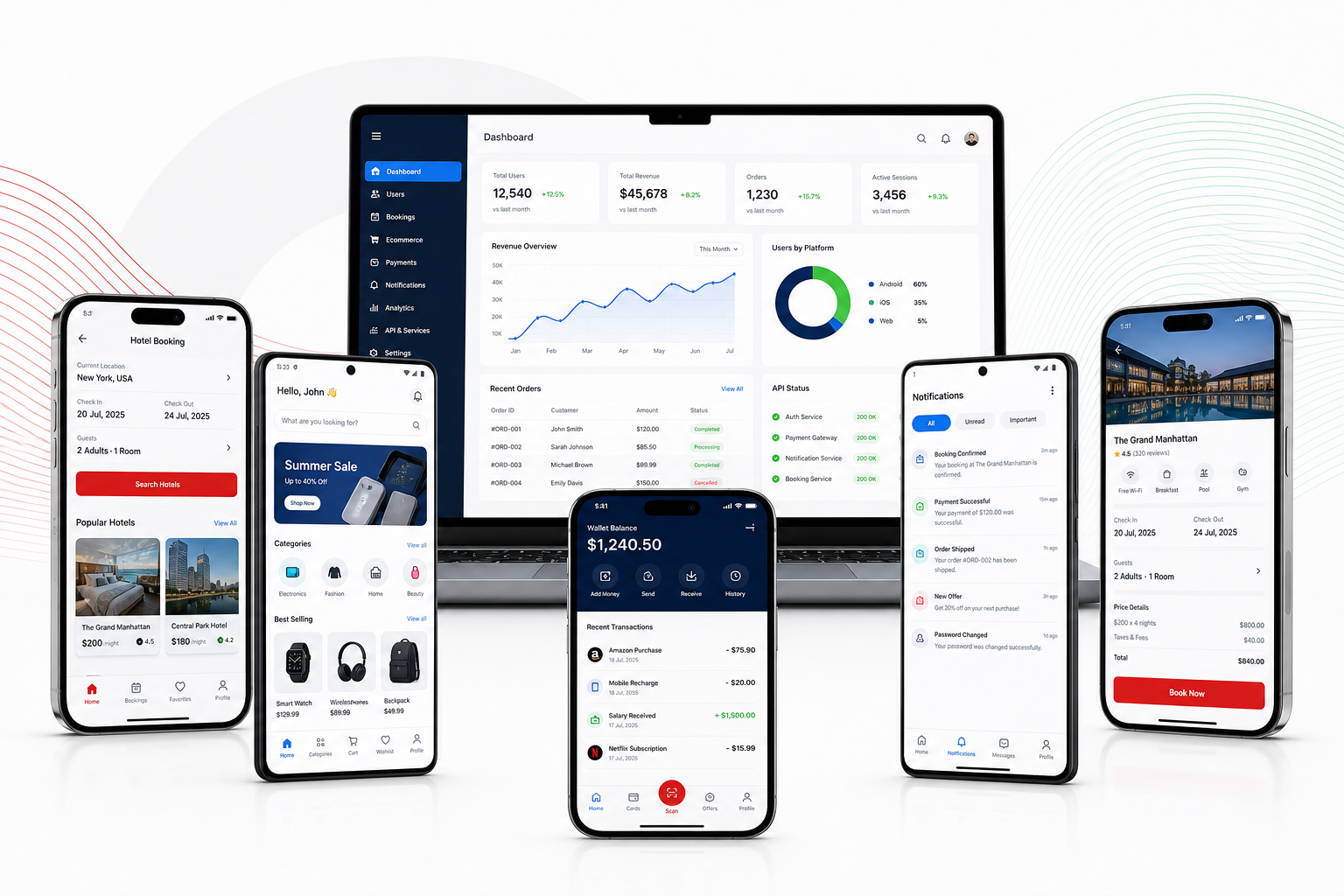
Important app screens include splash, login, OTP, home, category, detail page, cart or booking page, checkout, payment, order history, notifications, account, support and settings. Each screen should be simple, fast and comfortable for mobile users.
API backend and admin dashboard
Most apps need an API backend that handles users, products, services, orders, bookings, payments, notifications, reports and content. Admin users need dashboards to control app content without changing code every time.
Payments wallet and notification flow
Apps can include UPI, card, wallet, COD, subscription, invoice, refund and payment status depending on business needs. Push notifications can inform users about orders, booking confirmation, offers, support updates and payment success.
Performance and security planning
A good app should load fast, handle weak networks, protect user data, validate forms, manage sessions and show clear errors. WebStore9 can plan user roles, API security, database structure and launch-ready testing direction.
Growth-ready app content
The app should be supported by a website landing page, app store content, screenshots, SEO page, FAQs, privacy policy and tracking plan so the mobile app can get users after launch.
WebStore9 project checklist
Before starting this project, write the business goal, target users, important screens, admin modules, required integrations, SEO pages, launch timeline and support expectation. This keeps design, content, development and marketing direction clean.
- App Development module or content direction should be planned before launch.
- Android App module or content direction should be planned before launch.
- iOS App module or content direction should be planned before launch.
- Mobile App UI module or content direction should be planned before launch.
- API Backend module or content direction should be planned before launch.
- Admin Dashboard module or content direction should be planned before launch.
- Push Notification module or content direction should be planned before launch.
- Payment Gateway module or content direction should be planned before launch.
Ready to discuss this requirement?
Open the related WebStore9 service page or send your requirement with mobile number. WebStore9 can plan the website, app, software, SEO and support workflow according to your business.
Frequently asked questions
What should an app development project include?
An app development project should include Android and iOS planning, user screens, login, API backend, admin dashboard, notifications, payment or booking flow, analytics and support planning.
Can WebStore9 build app with admin panel and API backend?
Yes. WebStore9 can plan mobile app development with backend APIs, admin dashboard, user management, booking, wallet, payment, notifications and reporting modules.
Why is mobile app UI planning important?
Mobile app UI planning keeps navigation, onboarding, forms, checkout, notifications and daily user actions simple so the app feels useful on real phones.
Can an app connect with website and software?
Yes. The app can connect with a website, CRM, ecommerce store, billing software, dashboard, payment gateway and WhatsApp or email alerts.