help@webstore9.in India + Global ProjectsWhatsApp
MOBILE DATA TRANSFER

Mobile Data Transfer Software for Android and iOS

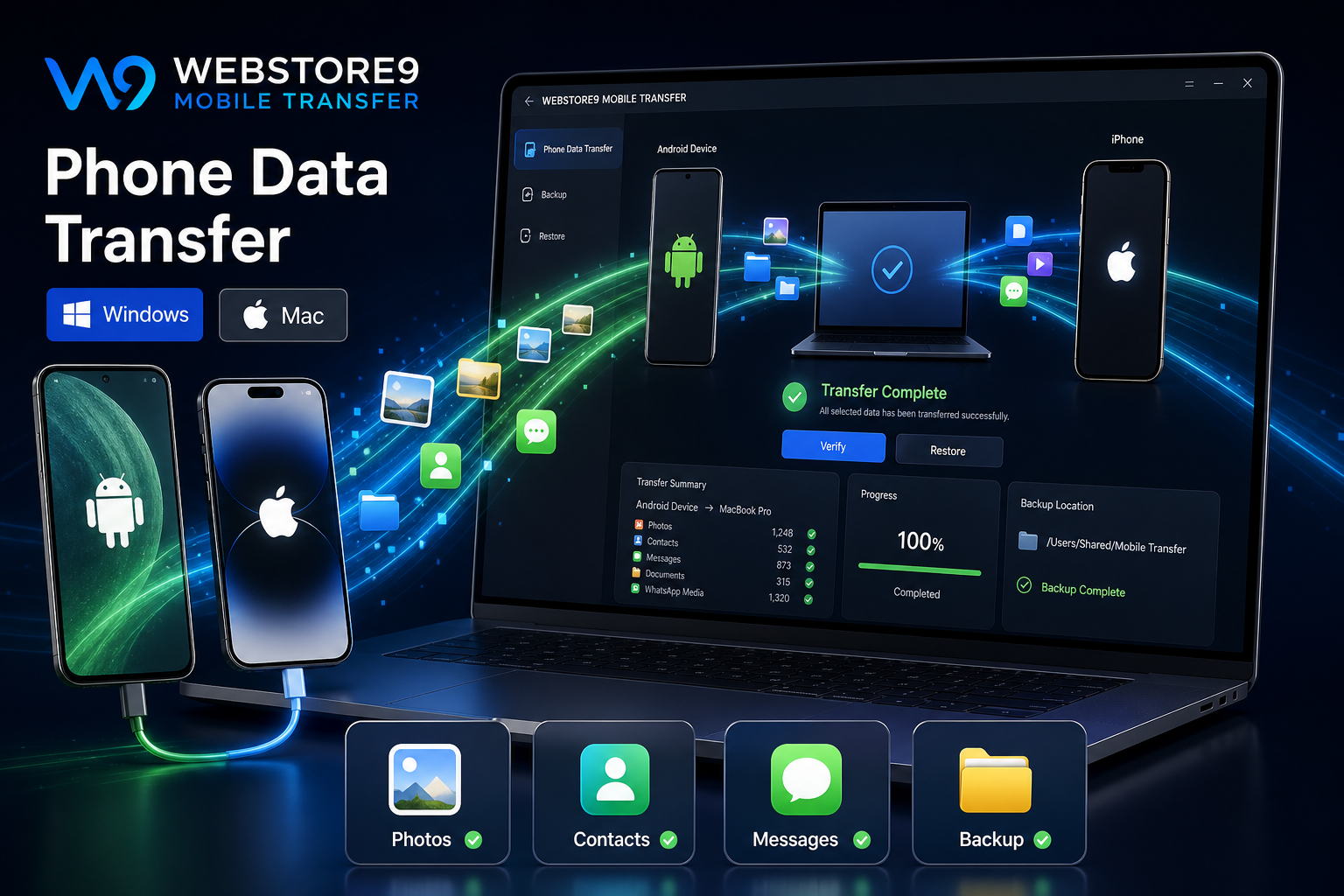
WebStore9 Mobile Data Transfer helps Android and iOS users move photos, videos, contacts, messages, documents, WhatsApp media and backup files with a simple download on Windows or Mac, connect the Android or iOS device, select data, transfer and verify workflow.

ResponsiveSearch-readyAdmin/API planningIndia + Global
WebStore9 Mobile Data Transfer dashboard for Android and iOS backup
Professional UIClear, responsive and consistent
Business workflowPages, modules and admin direction
Page StructurePage details, headings and internal links
Support pathEnquiry-ready customer guidance
PRODUCT FEATURES

Mobile data transfer features WebStore9 users can understand.

WebStore9 Mobile Data Transfer is explained as a practical product for Android and iOS users who want a clear way to transfer important phone data, make a local backup and get support when the device needs help.

Android and iOS transfer workflow

Photos, videos, contacts and messages

Documents, folders and WhatsApp media

Phone to Mac and phone to PC support

Device trust, cable and permission guidance

Category selection with progress tracking

Local backup and safe restore direction

Support path through WebStore9 contact

WebStore9 Mobile Data Transfer overview

WebStore9 Mobile Data Transfer is presented for Android and iOS users who want to move important phone data without confusion. The product flow focuses on a simple path: download for the right platform, connect the device, allow permission, select data categories, transfer files and verify the backup.

The page explains the product in customer language so users can understand photos, videos, contacts, messages, documents, WhatsApp media, phone backup, phone to Mac transfer and phone to PC transfer before contacting WebStore9 for setup or support.

Windows and Mac download options

The main action is clear: users can choose Download for Windows or Download for Mac. Both paths open WebStore9 contact support so the customer can get the correct product access, setup help and transfer guidance for the device they use.

  • Download for Windows
  • Download for Mac
  • Setup support for phone, Mac and PC workflows
  • Help for transfer questions before starting

Data categories and backup flow

A good transfer experience should not make users guess what is moving. WebStore9 Mobile Data Transfer explains separate categories for photos, videos, contacts, messages, documents, folders and WhatsApp media. This helps users select what matters instead of copying everything blindly.

  • Photo and video transfer
  • Contacts and message transfer
  • Documents, downloads and folders
  • WhatsApp media and important phone files

Connect, permission and progress

Android and iOS devices may ask for unlock, trust, USB, storage or file access permissions. The product copy explains these steps so users know why the phone must be unlocked and why the computer or app needs permission before transfer begins.

Progress status, selected categories, estimated work and completion messages make the software feel safer because the user can see what happened.

Safe transfer and restore

Mobile backup is useful only when the user can find the files later. WebStore9 Mobile Data Transfer explains folder organization, local backup, restore direction, duplicate review and verification so photos, contacts, videos and documents do not disappear into an unknown location.

  • Organized backup folders on Mac or PC
  • Verify transferred files before deleting anything
  • Restore or move data to another device when needed
  • Support for common transfer errors and device issues

WebStore9 Mobile Data Transfer product steps

The WebStore9 Mobile Data Transfer flow is simple: choose Download for Windows or Download for Mac, connect the Android or iOS device, allow permission, select photos, videos, contacts, messages and files, then transfer and verify the backup.

  • Download for Windows or Download for Mac
  • Connect phone with the right cable or supported method
  • Select photos, videos, contacts, messages and documents
  • Track transfer progress and review completion
  • Verify the backup on Mac, PC or another device
PROJECT PROCESS

From requirement to launch.

Download app

Choose Download for Windows or Download for Mac and contact WebStore9 for the correct product access and setup path.

Connect device

Unlock the phone, allow trust or file permission and connect Android or iOS to the supported transfer workflow.

Select data

Choose photos, videos, contacts, messages, documents, WhatsApp media or folders according to the transfer need.

Transfer and verify

Track progress, complete the transfer and verify the backup before deleting or resetting any device.

FREQUENTLY ASKED QUESTIONS

Clear answers before you start.

These answers explain WebStore9 Mobile Data Transfer features, Android/iOS download, phone backup, transfer categories and support.

What is included in WebStore9 Mobile Data Transfer?

WebStore9 Mobile Data Transfer explains Android and iOS transfer for photos, videos, contacts, messages, documents, WhatsApp media, local backup, phone to Mac and phone to PC workflows.

How can I download WebStore9 Mobile Data Transfer?

Use Download for Windows or Download for Mac, then contact WebStore9 through the enquiry form, help@webstore9.in or WhatsApp 7048959007 for product access, setup and support.

Can it help with iPhone and Android backup?

Yes. The product page explains iPhone backup, Android backup, transfer categories, permissions, progress tracking and safe verification after transfer.

What should I check before transfer?

Unlock the device, keep the cable ready, allow trust or storage permission, confirm available computer storage and verify the backup after transfer.

PRODUCT WORKFLOW

Mobile Data Transfer workflow for Android and iOS

The product flow shows the user exactly what to do: choose Android or iOS, connect the phone, allow permission, select data, transfer with progress and verify the backup. This keeps the page product-focused and easy for customers to understand.

  • Download: Android or iOS product path opens WebStore9 contact support.
  • Connect: device trust, storage permission and cable guidance are explained clearly.
  • Transfer: photos, videos, contacts, messages, documents and WhatsApp media are selected by category.
  • Verify: user checks the backup on Mac, PC or the target device before deleting data.
WebStore9 Mobile Data Transfer dashboard for Android and iOS backup
DownloadAndroid or iOSChoose desktop app
ConnectTrust deviceAllow permission
SelectData categoriesPhotos, contacts, files
VerifySafe backupReview completion
PRODUCT SUPPORT

Need Mobile Data Transfer help?

Send your Android or iOS transfer requirement through the form or email help@webstore9.in. Mention the device, data type, Mac or PC use, backup need and support question.

By submitting this enquiry, you agree that WebStore9 may contact you about your project through email, phone or WhatsApp 7048959007. Your details are handled according to our Privacy Policy and Terms & Conditions.